Got The Shot?

Shot list app · Laptop + phone

Plan it on your laptop. Get every shot on set.

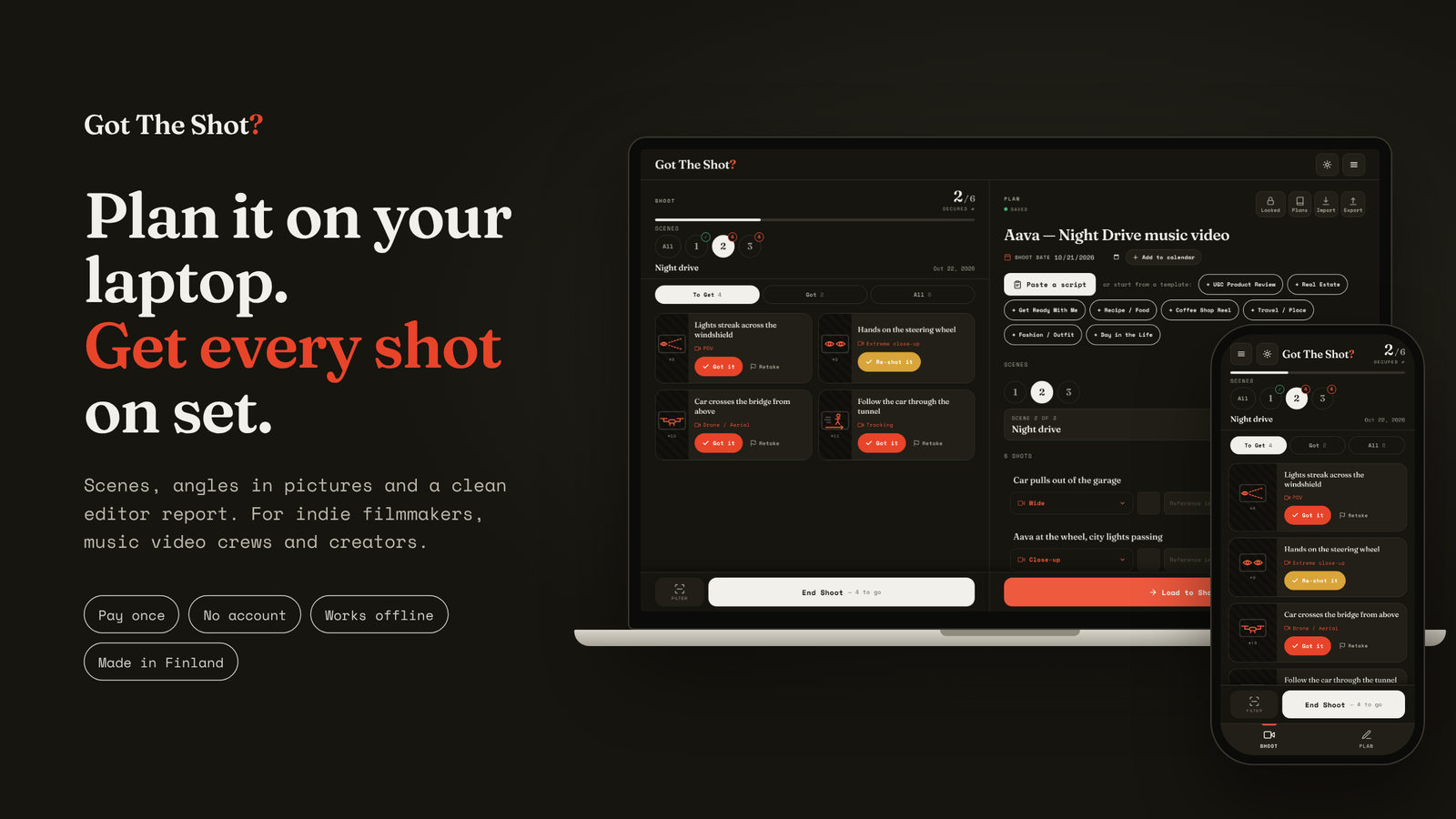
For indie filmmakers, music video crews, in-house producers and creators. Plan scene by scene on the big screen, tick off shots on your phone, and hit the panic button before you leave to see exactly what’s still missing.

  • Pay once
  • No account
  • Works offline
  • Made in Finland

Lifetime license · Secure checkout by Gumroad

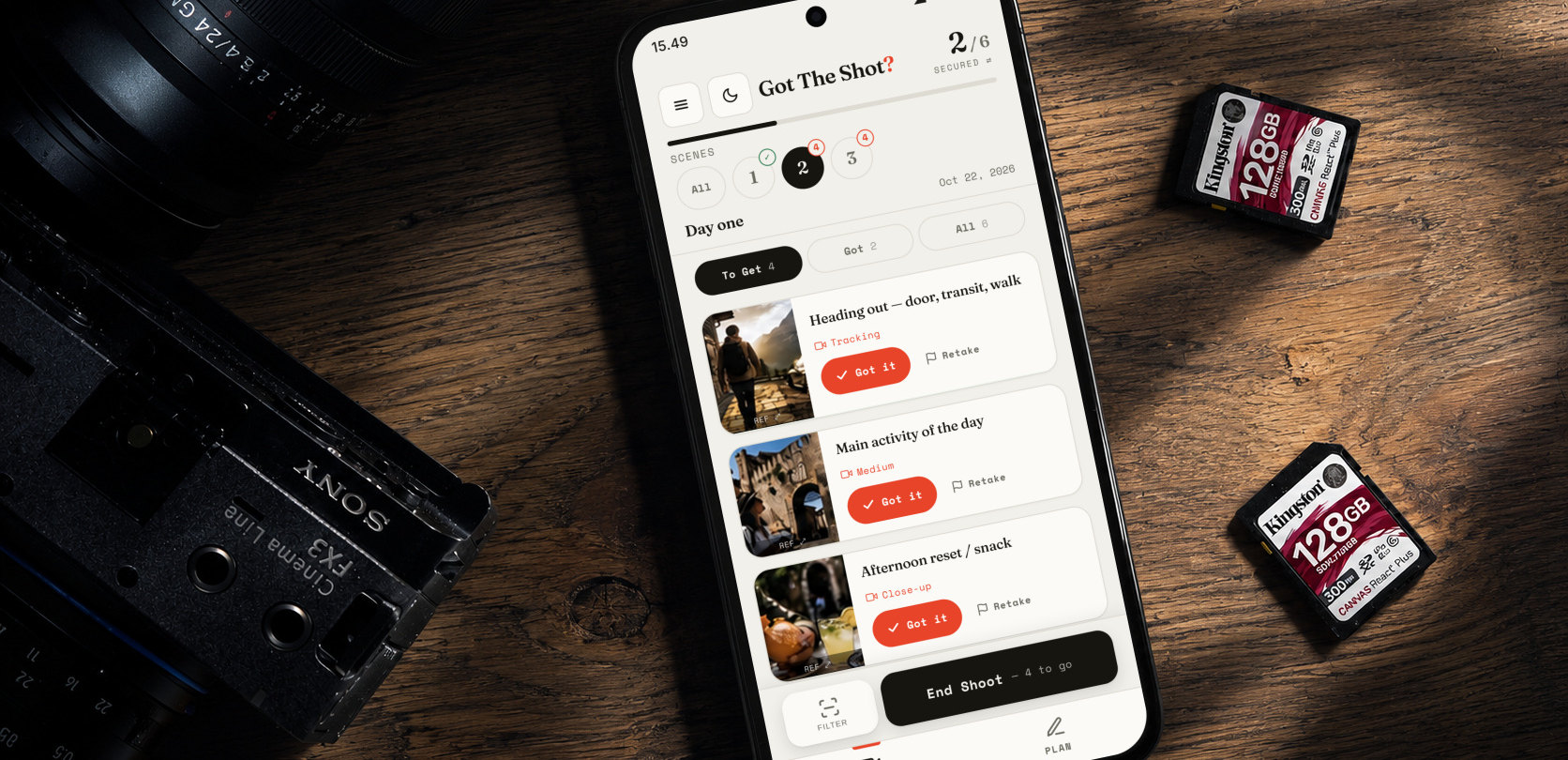
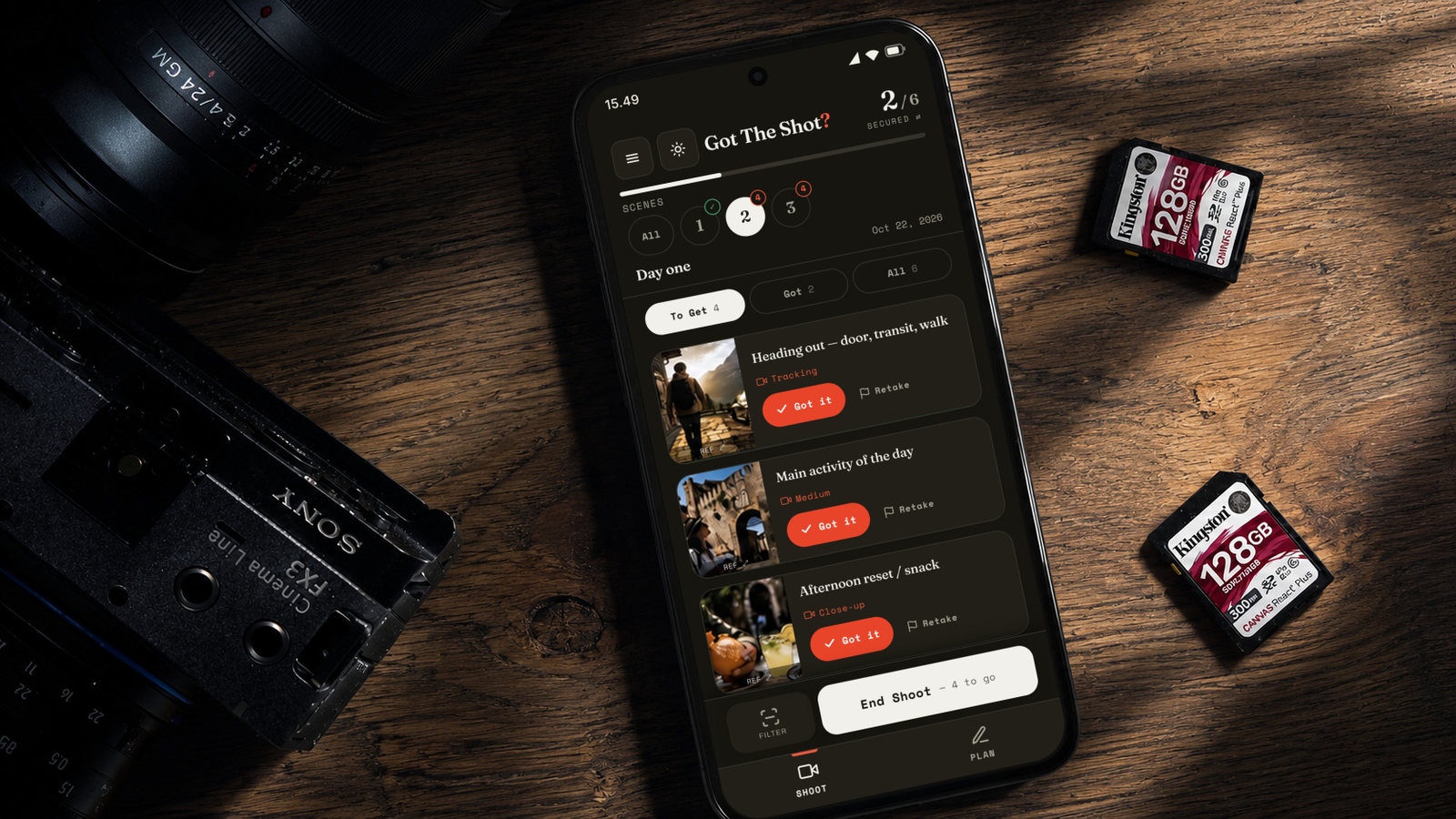
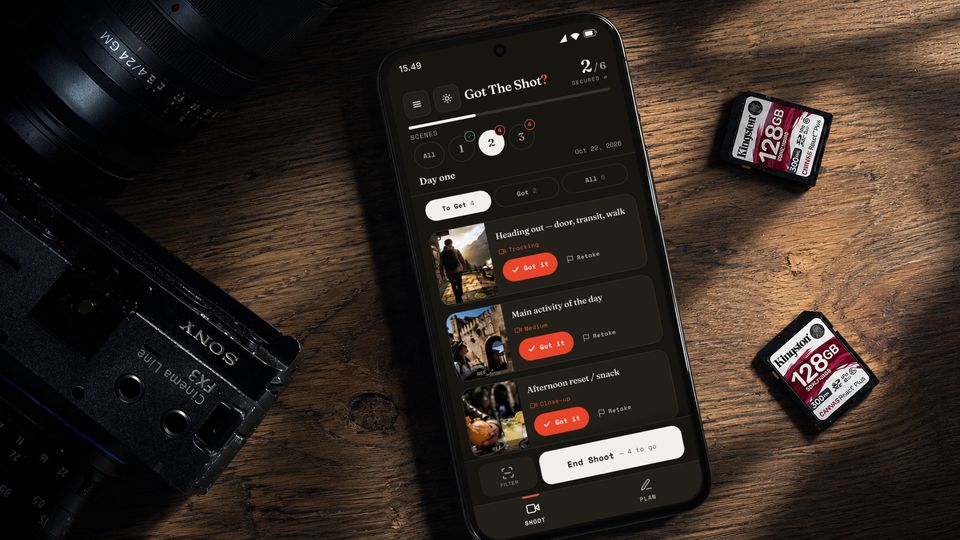
Got The Shot? on a phone next to a Sony FX3 and two SD cards, with reference photos on each shot. The End Shoot button at the bottom of the shot list is circled.

The panic button

Don’t leave the location until you’ve tapped it.

One tap before you pack up shows exactly what’s still missing. You shoot it now, while the crew, the light and the location are still there. Not in the edit, when it’s too late.

Before you pack up

  1. 1

    Tap End Shoot

    It sits at the bottom of your shot list and always shows how many shots are left.

  2. 2

    See what’s missing

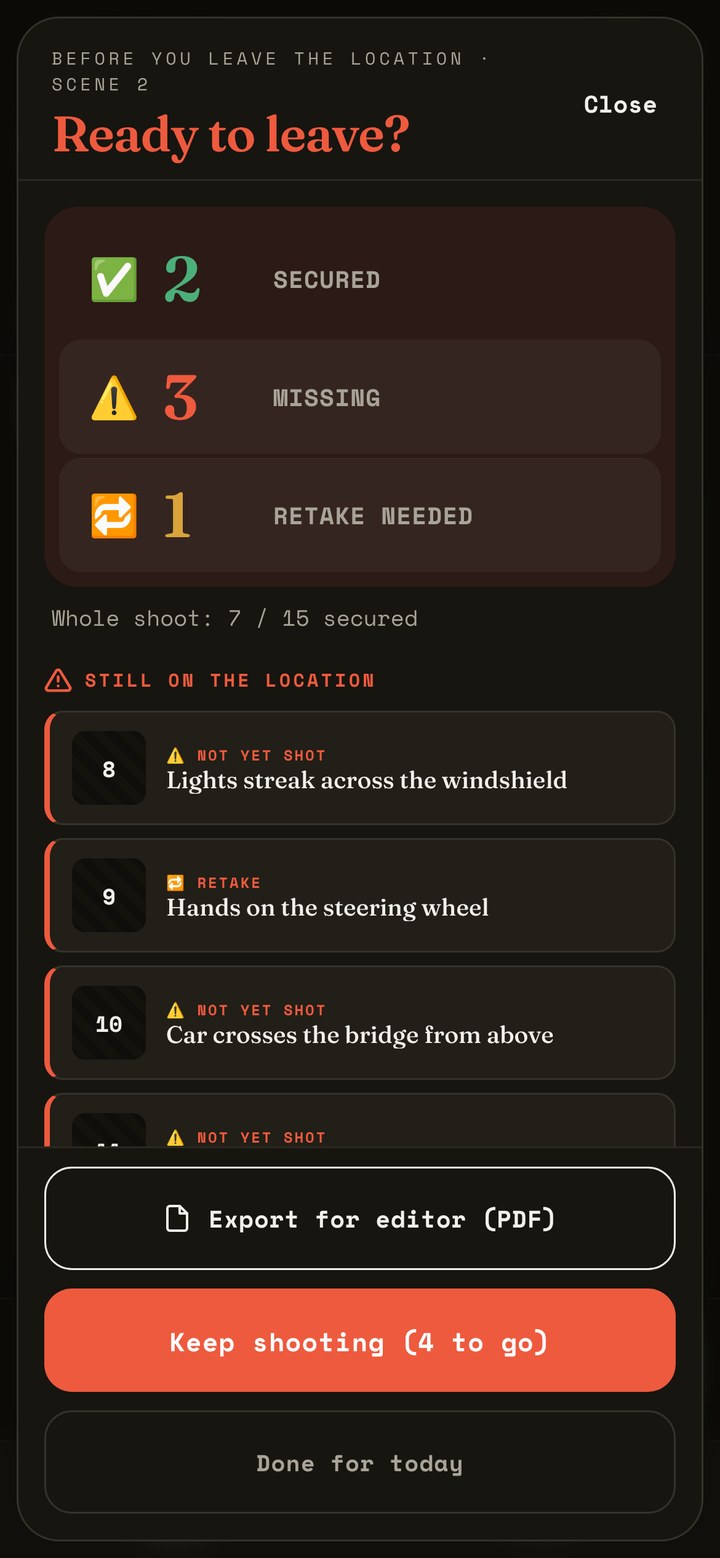
    Secured, missing and retakes, counted and listed by shot number. Scene by scene on multi-day shoots.

  3. 3

    Shoot it, then go

    Keep shooting until nothing is missing. Then export the PDF for your editor and drive home calm.

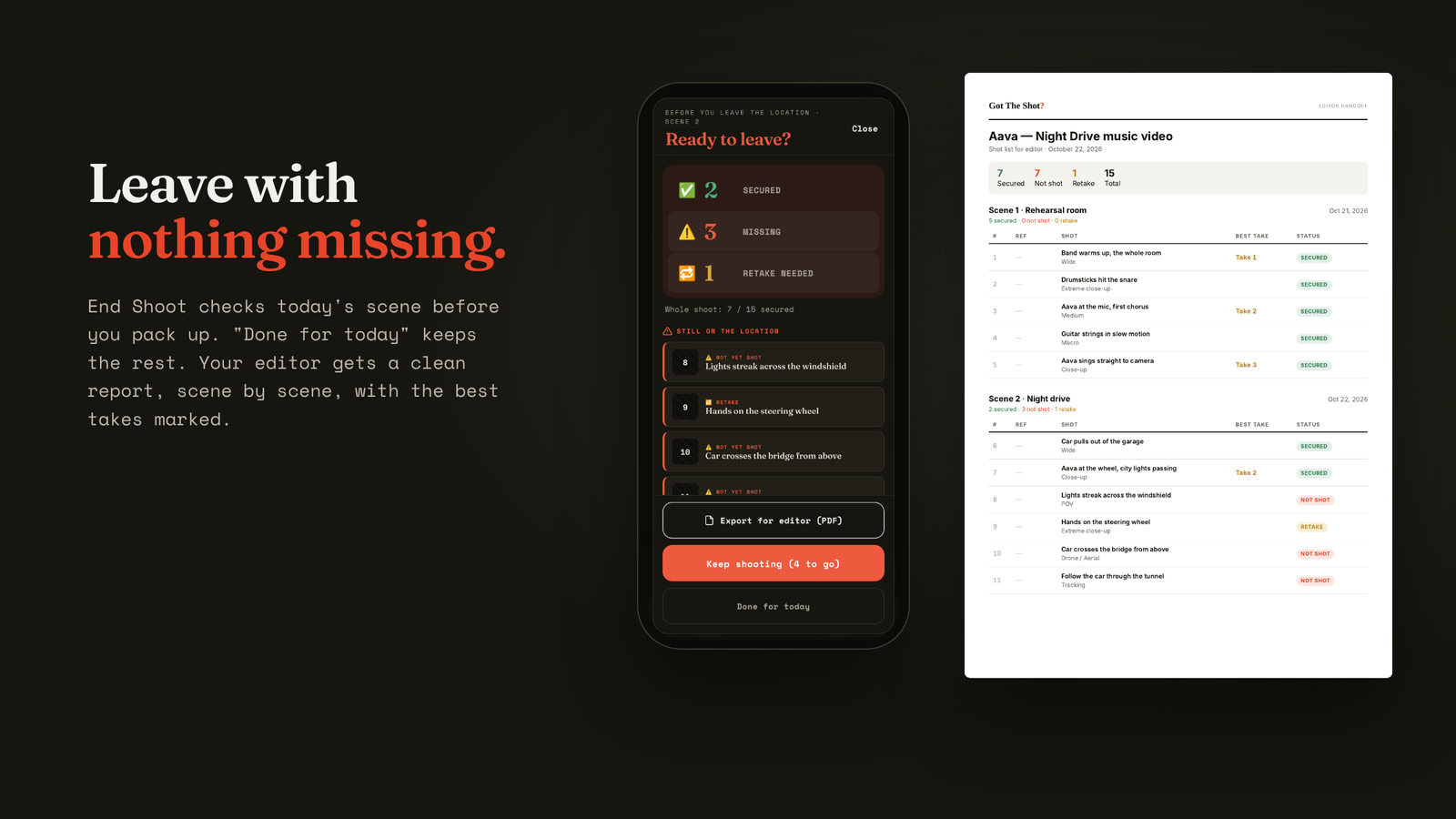
The End Shoot screen: Ready to leave? 2 secured, 3 missing, 1 retake needed, with the missing shots listed under Still on the location, and a Keep shooting button.
What you see after the tap: the real End Shoot screen.

How it works

Plan. Shoot. Wrap.

Seven steps from your first plan to the PDF for your editor. Tap any step to watch it in the app.

Sc. 01Plan

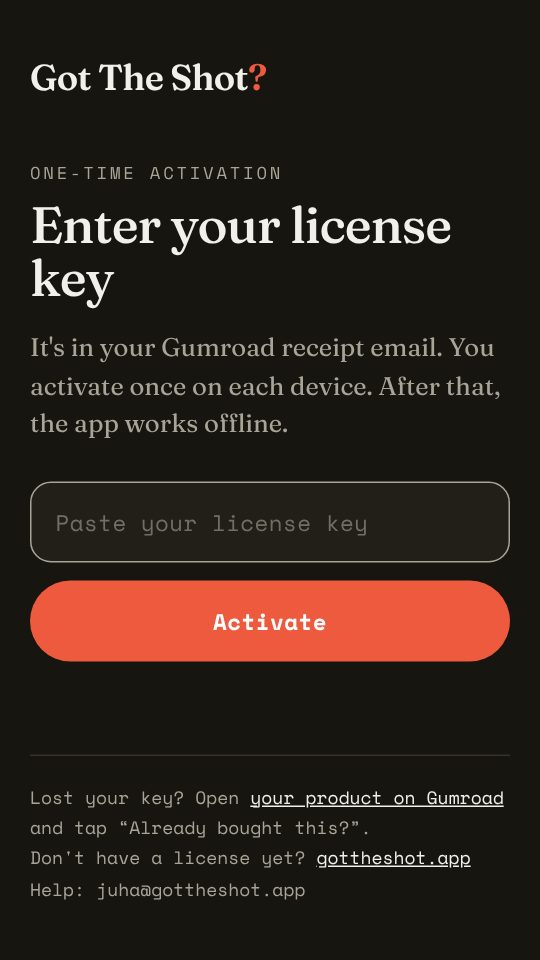
  1. Your Gumroad receipt has the app link and your license key. Open gottheshot.netlify.app, paste the key and tap Activate, once on each device. On the phone, add it to the Home Screen: iPhone Safari → Share → Add to Home Screen, Android Chrome → ⋮ → Install app.

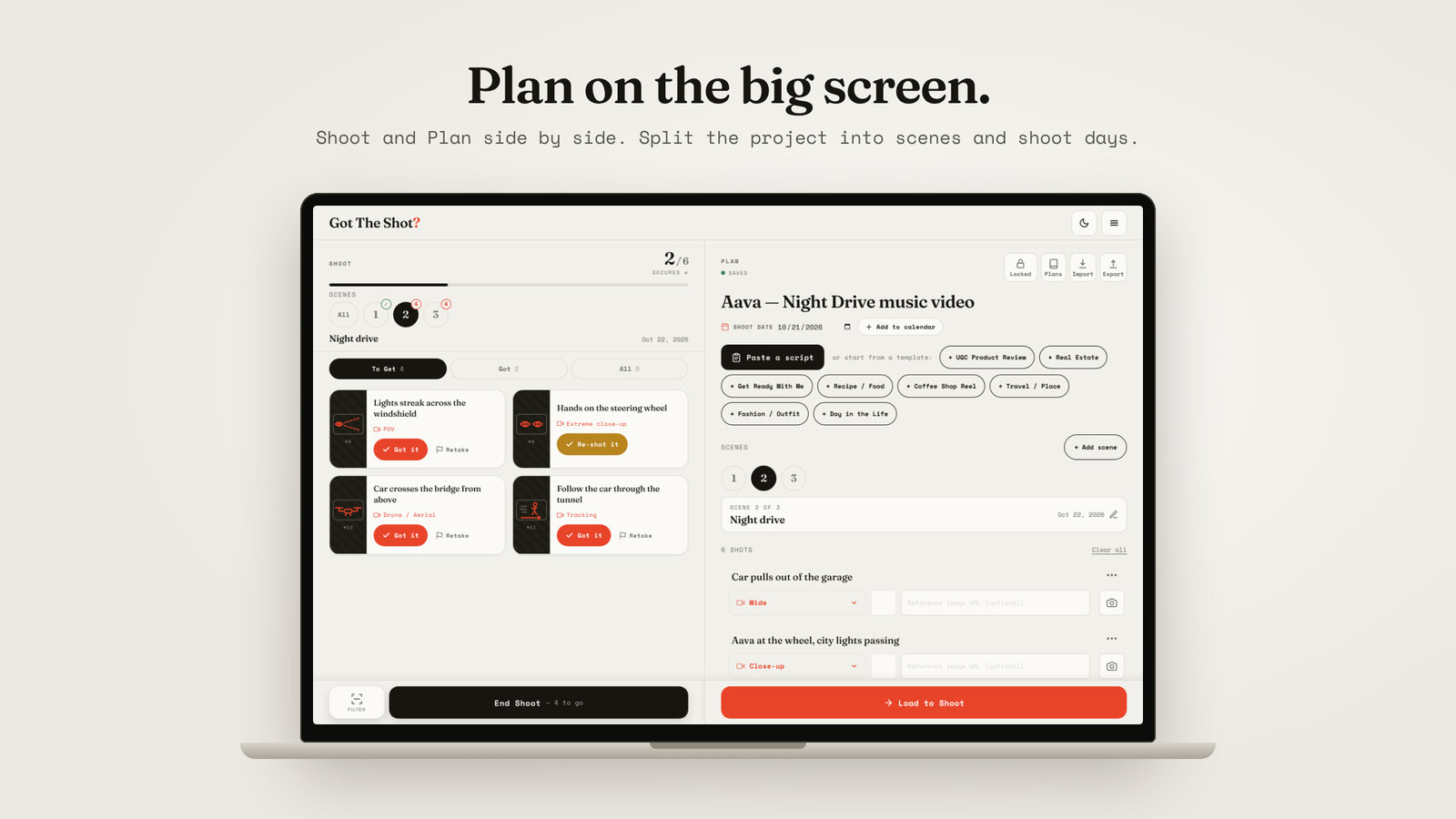
  2. In Plan, tap Paste a script, start from a template or tap + Add shot. Scene headings like INT. KITCHEN – NIGHT become scenes. Lines like AAVA: Hi become teleprompter cards.

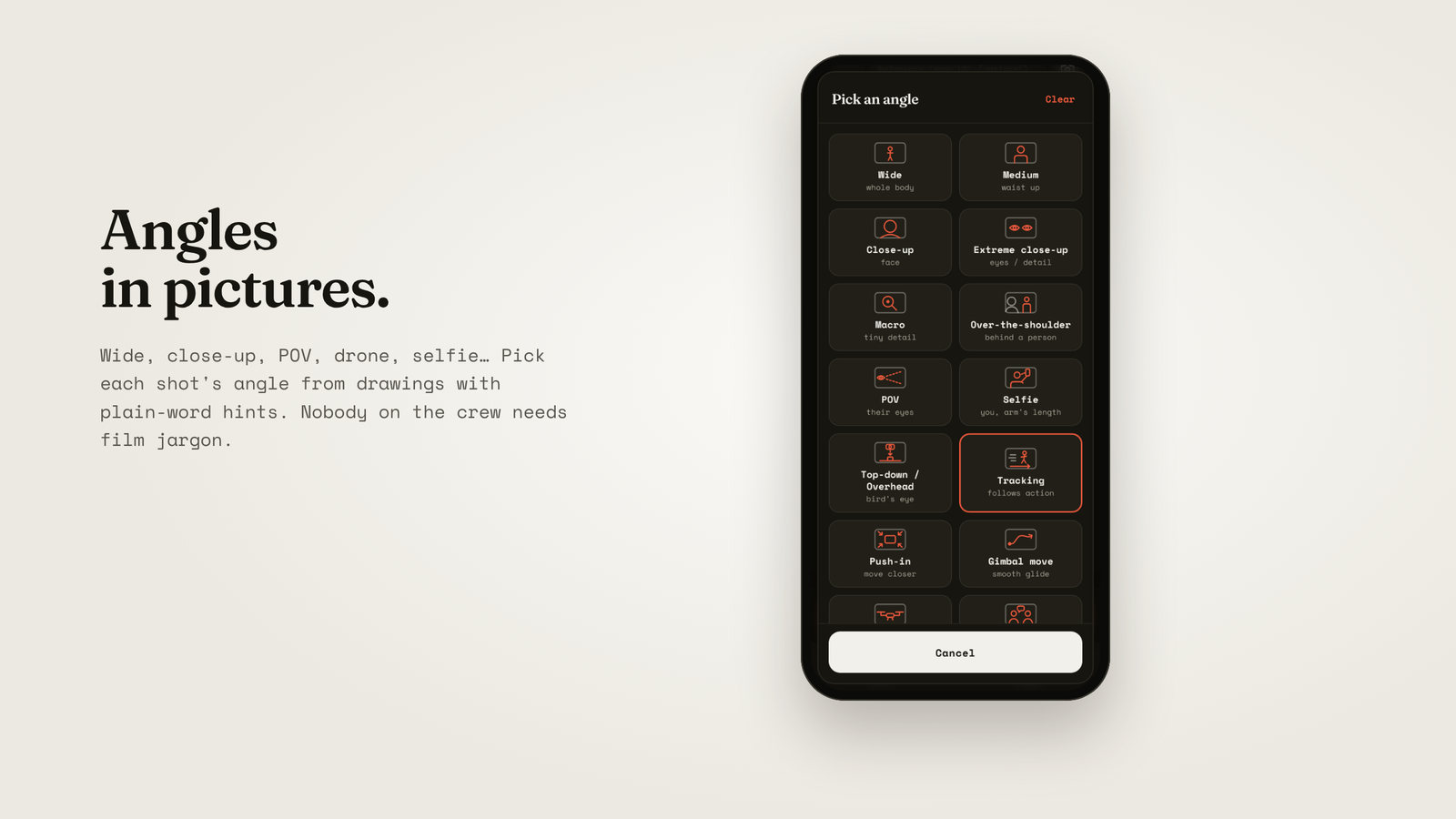
  3. Tap a shot’s angle button and pick the shot size from pictures: wide, close-up, POV, drone and ten more. Tap the camera icon to add a reference photo or a storyboard frame.

  4. Each plan is saved on the device where you make it. On the laptop, tap Export and send the file to yourself or your crew. On the phone: Plan → Import, pick the file, then Load to Shoot. On iPhone, save the file to Files first.

Sc. 02Shoot

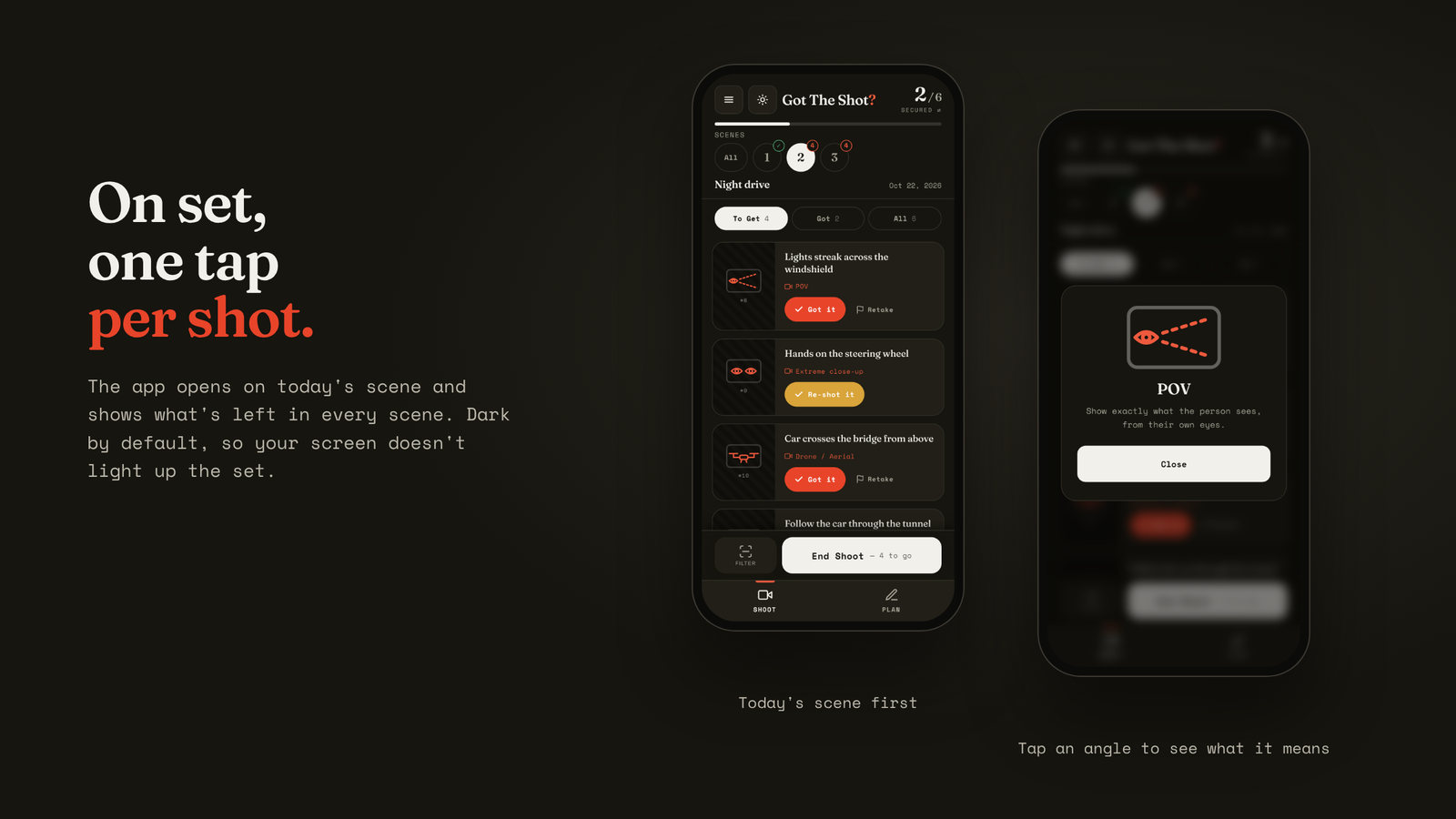
  1. Tap Got it or swipe the card to the right. Retake keeps a shot on the list until you get it. The tabs: To Get = still needed, Got = done, All = everything.

  2. In the Got tab, tap + Best take to mark the keeper, and + Note to tell the editor something, like “car in the background, remove in post”.

Sc. 03Wrap

  1. End Shoot shows what’s secured, what’s missing and what needs a retake. Get the missing shots, then tap Export for editor (PDF): every shot, best take and note, scene by scene. Shooting over several days? Done for today keeps the rest for tomorrow.

You see this once on each device.

No account, no cloud. Plans stay on your device, and the app works without signal after the first open.

What's inside

Built for real shoots.

  • PANIC BUTTON

    End Shoot

    One tap before you leave shows what’s secured, missing or needs a retake.

  • SCENES

    Scenes and shoot days

    See what's left in each scene. Tap the counter for the whole shoot.

  • 14 ANGLES

    Angles in pictures

    From wide to drone, each with a one-line reminder of what it means.

  • REF

    Reference photos

    Pin a frame grab or a sketch to any shot.

  • TAKE 2 ★ · NOTE

    Best take and notes

    Mark the keeper on set and leave a note for the editor, like “remove the car in post”.

  • PDF

    Editor report

    Every shot, its status, the best take and your notes, split by scene.

  • INT. / EXT.

    Paste a script

    Screenplay scene headings become scenes in your plan.

  • DARK / LIGHT

    Night and day

    Dark mode for night shoots, light mode for bright daylight.

  • OFFLINE

    No signal needed

    Works on location without a connection. Plans stay on your device.

Made in Finland

Developed with Finnish indie filmmakers. Tested on real shoots.
“I just used it on a music video production, and I have to say, it’s really handy!”

In Finnish“Käytin just yhes musavideotuotannossa ja pakko sanoa että tosi kätevä!”

VVeetiCinematographer / camera technician
From the maker
“It was really handy that at the end of the shoot, there was no need to go back through the script and materials. You knew everything had been captured.”
JJuhaDirector / cinematographer · made Got The Shot?

Production log

Built in the open.

Made by a working filmmaker in Helsinki, together with the crews who test it. Every change lands here, so you can see what’s being worked on. When you report a bug, the fix shows up on this list.

Production Got The Shot? Last update Status In production

  1. Roll 03October 2026

    • BetterHow it works, step by step: seven steps with short screen recordings of the app. Asked for by a film equipment rental house
    • NewOne-time activation with your license key. Activate once on each device, and the app works offline as before.
    • NewNotes for the editor: add a note to any shot you’ve got, like “car in the background, remove in post”. It goes into the editor PDF. Asked for by a tester
    • FixedOpening another plan, a template or a new plan never replaces your work. The current plan is kept in My Plans. Reported by a tester
    • FixedPlan files for the crew: the app now tells you how to open one on another phone (Plan → Import). Reported by a tester
    • New“Found a bug?” in the menu, straight to my inbox.
    • Newgottheshot.app is live.
    • NewScenes and shoot days, with the editor PDF split by scene.
    • NewLaptop view: Shoot and Plan side by side.
    • NewAngles in pictures: 14 shot sizes, each with a drawing and a one-line hint.
    • NewDark mode for night shoots.
    • BetterThe panic button up front: End Shoot always shows how many shots are left.
    • BetterOne popup style everywhere, and bigger buttons for your thumb.
  2. Roll 02September 2026

    • NewFirst public version.
    • NewAngle picker, shoot date to your calendar, best take, editor PDF and a script template. Asked for by testers
    • FixedBugs found on field tests. Reported by testers
  3. Roll 01Summer 2026

    • NewFirst prototypes.

Found a bug? Email juha@gottheshot.app. I fix it fast.
Behind the scenes on Instagram: @gottheshot.app

Pricing · Pay once

One price. Yours for life.

No subscriptionNo accountLaptop + phoneWorks offline

For one filmmaker

Indie Creator License

$19.90once · lifetime

Everything in Got The Shot? for one person, on your laptop and your phone.

  • All features, updates included
  • Scenes, angles in pictures, editor PDF
  • Works offline on location
  • No account, no subscription
Buy · $19.90

You get the app link right after checkout. Add it to your phone's home screen like an app.
For production companiesFor crews

Pro Team License

$795 licenses · about $15.80 each

For agencies, production companies and in-house video teams.

  • 5 lifetime licenses
  • The producer plans on the laptop and sends the plan file to the crew
  • Every shooter ticks off their shots and exports a PDF for the editor
  • No accounts to manage, works offline
Buy Pro Team · $79

Simple on purpose: no cloud and no live sync. Each phone keeps its own copy of the plan.

Prices in USD. Secure checkout by Gumroad. Taxes may apply at checkout.

Questions

Before you buy.

How do I get started?

Follow How it works: seven short steps with screen recordings, from your first plan to the PDF for your editor.

Does it work without signal?

Yes. After the first open, the app works offline. Your plans are saved on your device, so a basement location or a forest road is no problem.

What does it run on?

Any modern browser on a laptop, iPhone or Android phone. On the phone, add it to your home screen and it opens like an app. No app store needed.

How do I get a plan from my laptop to my phone?

Export the plan on the laptop, send the file to yourself (AirDrop, email or chat), and tap Import on the phone. Or just bring the laptop to set.

Is my data uploaded anywhere?

No. Plans stay on your own device. There is no account and no login.

Is it a subscription?

No. You pay once and keep it. Updates are included.

Got The Shot?

Never drive home wondering if you got the shot.